
One-Click Speech-to-Speech with Voice Cloning!
One-click video translation: ASR, AI dubbing, voice cloning & subtitle translation. Open-source and fully automated.

While browsing YouTube recently, I often come across some excellent foreign-language videos, but I can’t understand them. What to do?
Although many platforms offer auto-generated subtitles, the translation quality is often mediocre, and there’s usually no dubbing, so it’s still tiring to watch. It would be perfect if I could translate a foreign video into Chinese with one click and add a natural-sounding Chinese voiceover.
A few days ago, while browsing GitHub, I discovered an open-source project called pyVideoTrans. I tried it out and found it quite impressive.
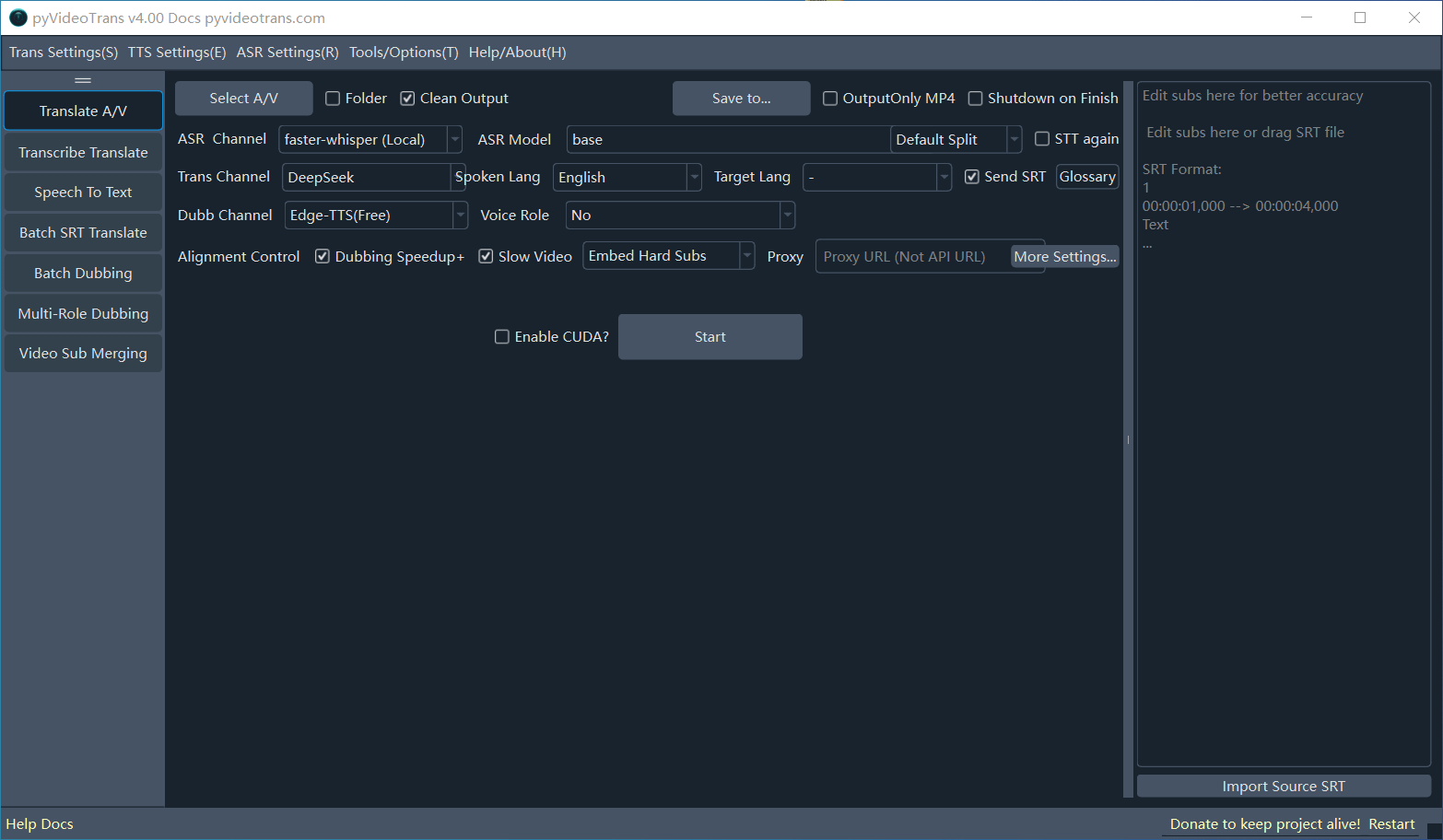
This tool chains together speech recognition, subtitle translation, AI dubbing, and audio-video synthesis into a fully automated pipeline. Just upload a video, and it can output a version in another language with one click — and the results are surprisingly good.
What is pyVideoTrans?
pyVideoTrans is a powerful open-source tool for video translation, speech transcription, AI dubbing, and subtitle translation, maintained by developer jianchang512.
Its core goal is to seamlessly convert a video from one language into a new version with dubbed audio and subtitles in another language.
The project has already earned 17.6K stars on GitHub, making it a popular and well-regarded project.
